Această pagină arată cum funcționează RadioAI-DJ într-un flux radio real. Aplicația desktop este construită astfel încât stația să își poată defini identitatea editorială, să automatizeze intervențiile de tip prezentator, să gestioneze emisiuni și rubrici și să păstreze outputul final aliniat cu sistemul de playout.
Rezultatul este o aplicație PC care poate prelua o parte importantă din execuția zilnică a radioului, oferind în același timp control clar asupra show-urilor, prompturilor, vocilor și fișierelor rezultate.
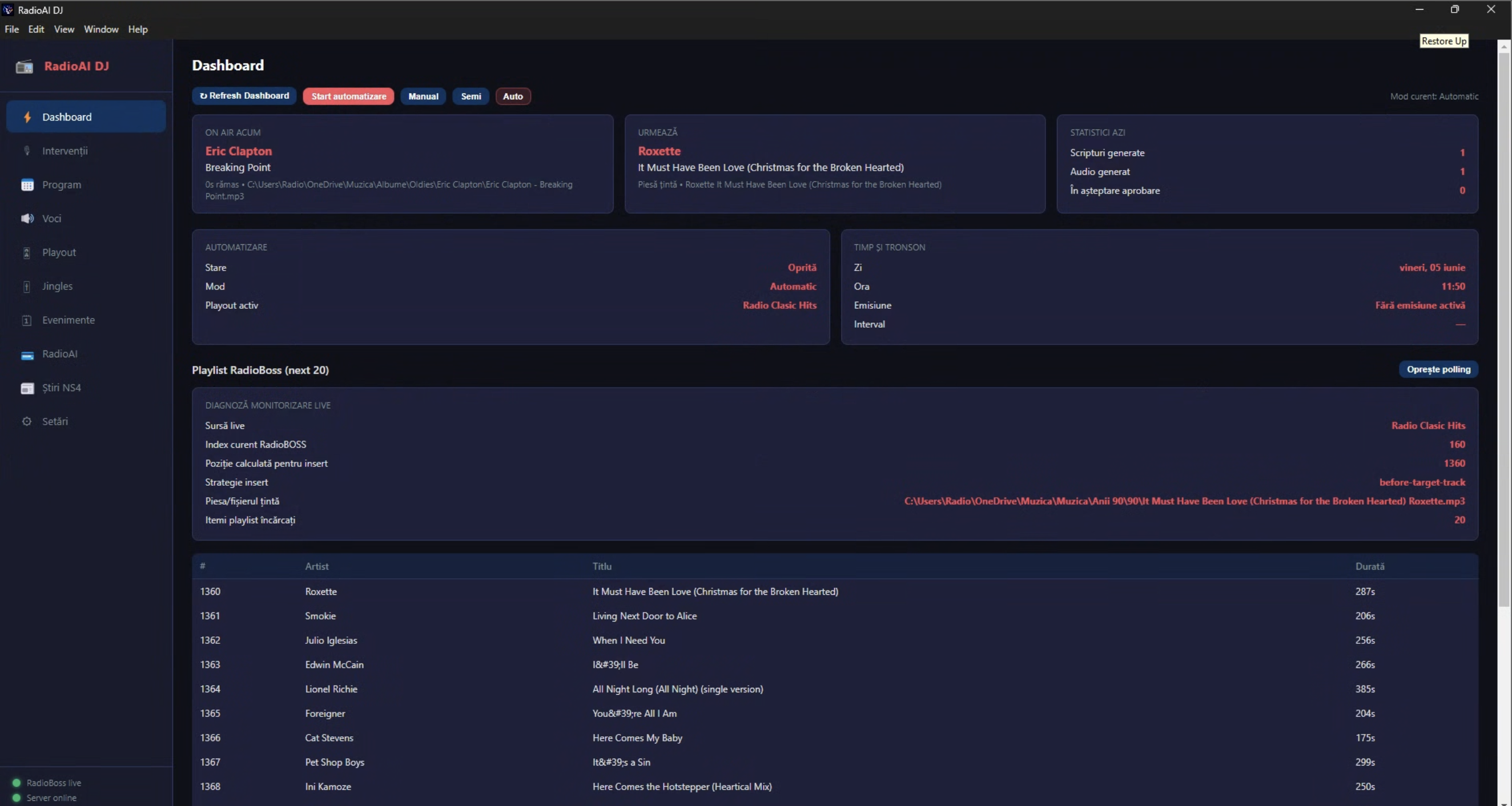
Dashboard: stația vede ce este în emisie, ce urmează și ce pregătește automatizarea
Dashboard-ul este vederea operațională principală. Aici vezi piesa curentă, piesa următoare, slotul activ, emisiunea activă și textul intervenției care urmează să fie livrate către playout.
Acest ecran face aplicația practică pentru operarea zilnică: echipa vede rapid dacă software-ul urmărește corect playout-ul, ce intervenție se pregătește și dacă stația rulează în mod manual, semi-automat sau automat. Fluxurile pot fi adaptate pentru RadioBOSS, SAM Broadcaster, RadioDJ, StationPlaylist, Jazler și alte sisteme compatibile cu integrare prin API, XML, metadata sau folder watch.
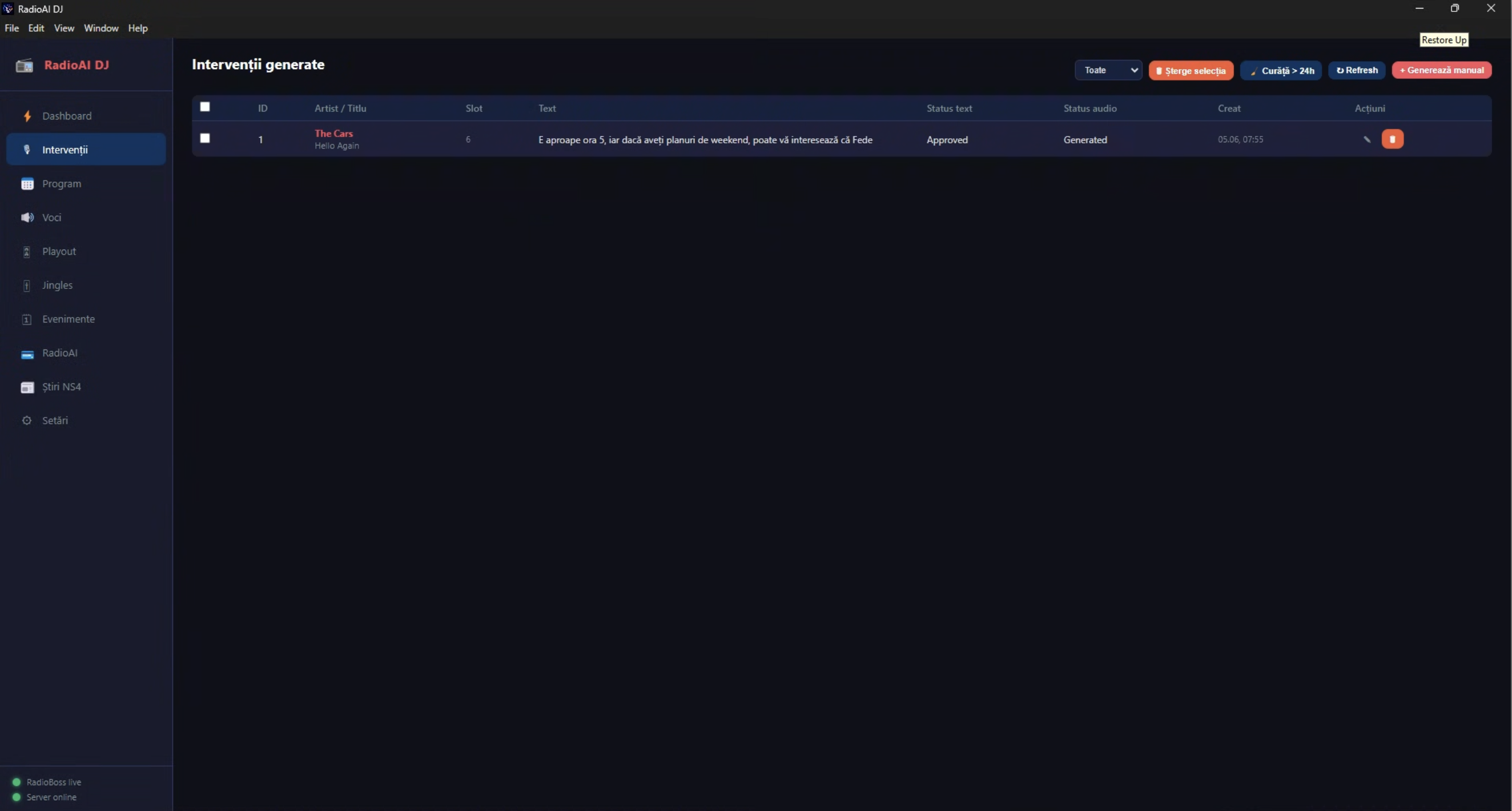
Intervenții: fiecare break generat poate fi revizuit, aprobat, regenerat sau eliminat
Ecranul de intervenții este locul în care stația vede outputul deja generat. Editorii pot verifica textul, aproba rezultatul, regenera audio-ul, curăța itemii vechi și păstra un jurnal clar al materialelor produse.
Automatizarea nu elimină responsabilitatea editorială. Ea oferă un ciclu de producție mai rapid, păstrând în același timp o cale clară de validare atunci când postul vrea control mai strict asupra tonului, acurateței sau conformității comerciale.
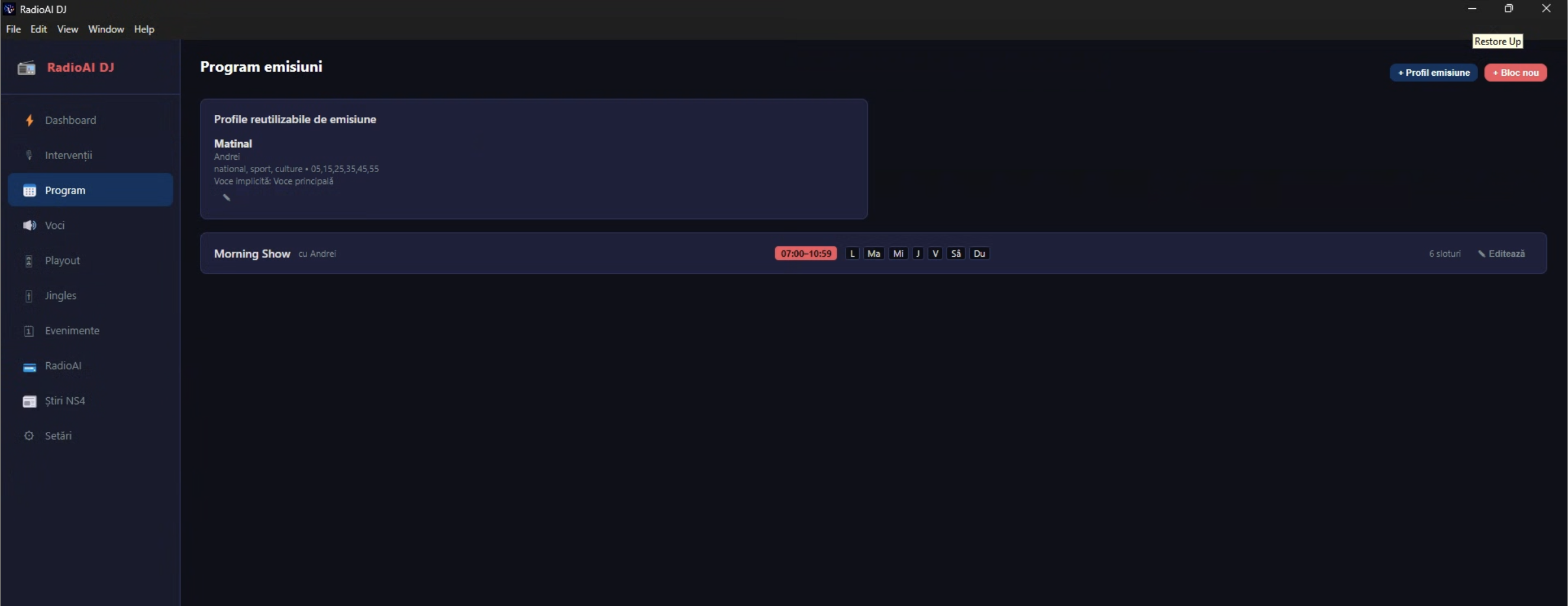
Programarea emisiunilor: profilele reutilizabile fac ușoară scalarea aceleiași logici pe mai multe daypart-uri
Zona de programare ajută stația să definească emisiuni recurente, profiluri reutilizabile de realizator și blocuri orare care urmează structura săptămânală a stației.
Poți crea un matinal, un show de weekend sau un segment tematic și poți păstra aceeași voce și același comportament editorial asociate cu el, fără să rescrii aceleași instrucțiuni în fiecare zi.
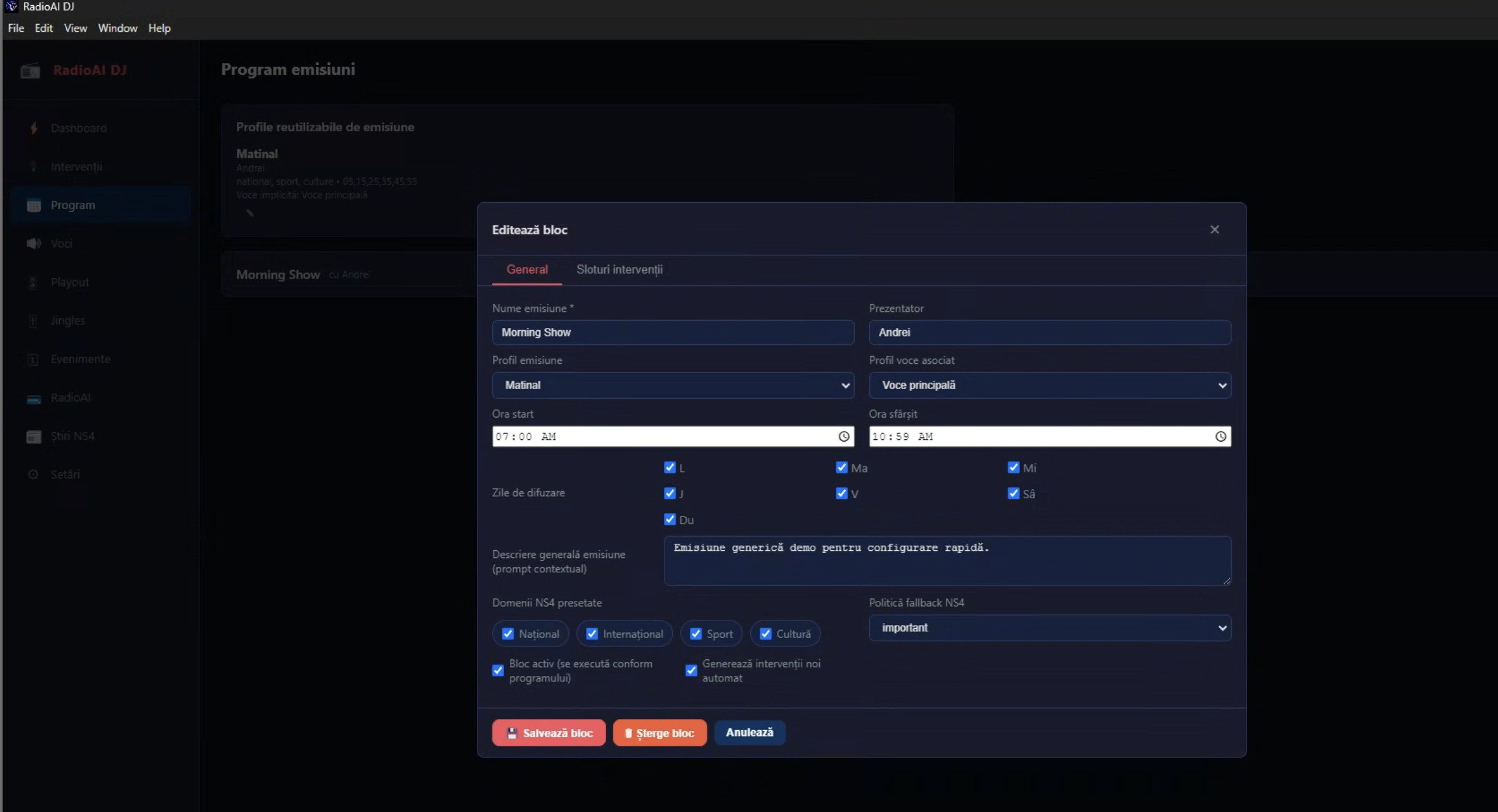
Fiecare bloc de emisiune poate defini realizator, voce, context editorial și priorități de conținut
Editorul de bloc este locul unde stația definește identitatea operațională a unei emisiuni: nume, realizator, voce asociată, zile de rulare, intervale active și o descriere contextuală despre cum trebuie să sune show-ul.
Aici pot fi introduse și priorități editoriale, teme dominante, reguli de ton și alte elemente care influențează felul în care sunt construite intervențiile.
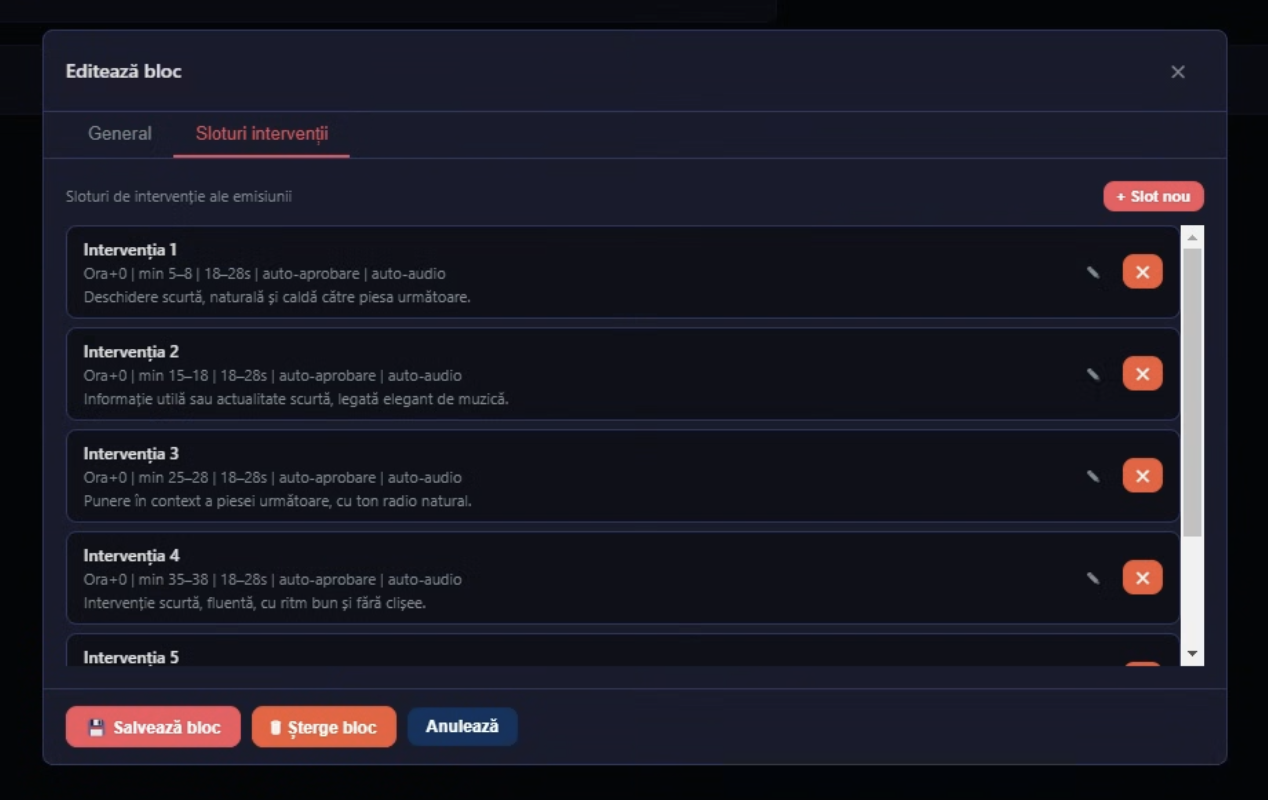
Intervențiile orare pot primi direcții diferite, pentru a evita repetiția
În interiorul unui bloc de emisiune, fiecare slot poate avea un rol diferit: deschidere de oră, legătură muzicală, scurt unghi editorial, recomandare sau alt tip de intervenție utilă pentru ritmul programului.
Asta ajută aplicația să nu sune repetitiv. În loc să repete aceeași formulă, postul poate defini direcții separate pentru fiecare slot și poate păstra outputul variat și contextual.
Vrei să vezi cum se configurează acest flux pentru postul tău?
Compară pachetele comerciale, vezi zona de achiziție și descoperă cum poate fi configurată aplicația pentru emisiunile și daypart-urile tale reale.